Mobile application
Authentication
The mobile app can be signed in by scanning an API key QR code instead of typing an email and a password on a phone keyboard.
Android
There is no release on the Google Play Store yet, but you can download and install the Android app directly, by clicking on Get the Android app in the sidebar.
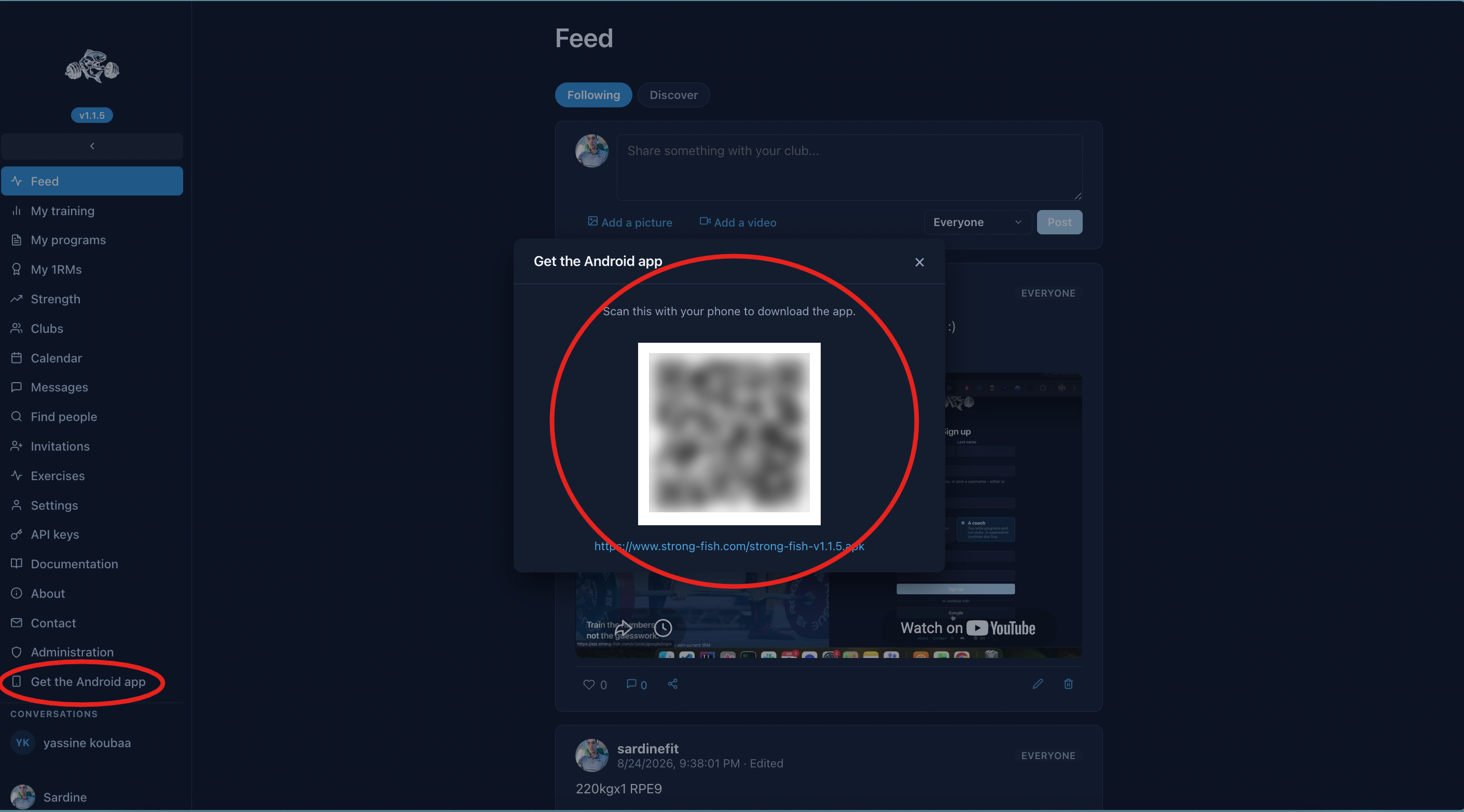
On a desktop it displays a QR code you can scan with your phone; on a phone the download starts straight away.
iOS
There is no App Store release yet, and iOS has no equivalent of downloading an APK — Apple does not let an app be installed from a web link. So the way onto a phone is TestFlight, Apple's own testing app.
This section is for whoever builds and distributes it. If you are just here to install the app, skip to Installing a build.
Why this one is built by hand
Every other artifact StrongFish ships is built by the pipeline. iOS cannot be: flutter build ipa runs xcodebuild and codesign, both macOS-only, and Apple's licence keeps macOS on Apple hardware — so there is no runner image that could do it.
The seam is a script, ci/app/deliver-ios.sh,
run by hand on a Mac. It builds and signs the .ipa and leaves it in
sf-mobile/dist/, which is committed; the Linux pipeline then copies whatever is there into the ui-and-mobile image. When nobody has built one, the directory holds only its placeholder and the pipeline carries on as usual.
What you need once
- A Mac with Xcode, installed from the App Store. The script cannot install it for you - it is several gigabytes and only a person can accept its licence. Everything else it needs (Flutter, CocoaPods) it installs through Homebrew if they are missing.
- Homebrew, if Flutter or CocoaPods are not already installed. The script will not install Homebrew itself: its installer is a script fetched from the network and run with sudo, which is not something a build script should do on your behalf.
- An Apple Developer Program membership (99 €/year). Free accounts can build to your own device for seven days, but cannot use TestFlight.
- The app registered in App Store Connect under the bundle id
tech.cwcloud.strongFishMobile.
Then, in the repository:
cp .env.ios.example .env.ios
There is one thing to fill in: IOS_TEAM_ID. Everything else is either made for you, fixed in the Xcode project, or a default in the script.
The signing certificate
On the first run, if there is no ios.p12, the script takes the Apple
Distribution identity Xcode already put in your keychain, writes it to
ios.p12, and appends the password it invented to .env.ios. From then on that file is what signs: every run imports it into a keychain of its own, so the build depends on the certificate rather than on whatever else the Mac has accumulated.
It prints what ended up in the file, because security export has no way to select a single identity — if your keychain holds several, they all go in, and you should know that before you copy the file anywhere.
If there is no distribution identity yet, it says where to make one: Xcode → Settings → Accounts → your Apple ID → Manage Certificates → + → Apple Distribution. A development certificate is deliberately refused: it cannot sign a build for TestFlight, and picking one would fail much later with a far less obvious message.
ios.p12 and the password in .env.ios are both gitignored, and belong
together — losing either means deleting both and letting the next run make a new one.
Building
./ci/app/deliver-ios.sh
It reads the version from VERSION, the same file the Android build and the API's manifest read, and derives the build number the same way — 1.2.3 becomes 10203. That matters more on iOS than on Android: App Store Connect refuses an upload whose build number is not higher than the last one, so bumping VERSION is what makes the next upload possible.
The result lands at sf-mobile/dist/strong-fish-v<VERSION>.ipa. Commit it and push, and the pipeline puts it in the image.
Sending it to TestFlight
./ci/app/deliver-ios.sh --upload
This needs an App Store Connect API key, from App Store Connect → Users and Access → Integrations. Put IOS_API_KEY_ID and IOS_API_ISSUER_ID in .env.ios, and drop the .p8 file itself in the repository root under the name Apple gave it — AuthKey_<key id>.p8. It is gitignored and stays there.
Apple lets you download that file exactly once, which is why the script keeps it as a file rather than asking you to transcribe it.
Apple takes a few minutes to process an upload. It then appears under TestFlight in App Store Connect, where you add testers:
- Internal testers — up to 100 people on your App Store Connect team. They get the build immediately, with no review.
- External testers — up to 10,000, by email or a public link. The first build for a group goes through a short Beta App Review, usually a day or so.
Internal testing is the quicker path while the app is still moving.
Installing a build
- Install TestFlight from the App Store.
- Open the invitation — either the email Apple sends or the tester link.
- Accept, and install StrongFish from inside TestFlight.
A TestFlight build stops working after 90 days. That is Apple's rule, not ours: when it expires, install the newer build the same way.
What is different from the Android app
No update button. The Android app checks /v1/mobile-app and can install a newer APK itself. iOS cannot: an app installing its own code is refused at review, and there is no sideloading to fall back on. On iOS the settings screen says updates arrive through the App Store, and TestFlight notifies you when a new build is ready.
The .ipa on the website is not installable by tapping it. It is published so the build that was signed is the build that is distributed, and so it can be fed to a device management tool or an ad-hoc install flow. A phone cannot install it from a link.
When it does reach the App Store
Nothing in the build changes. TestFlight and the store take the same .ipa from the same script; what changes is that you submit it for App Review rather than distributing it to testers. This page will be replaced with a store link when that happens.